 HubSpot
 Attio
AttioDiscord role automation for HubSpot and Attio
Conncord adds Assign and Remove Discord role steps to HubSpot and Attio workflows. When a contact or person meets your criteria, such as becoming a customer, the workflow gives their linked Discord member a role; when they stop meeting it, another step takes it away.
Updated
Trigger
Deal stage changes
Conncord
Assign Discord role
Conncord
Send Discord message
maya Today at 9:41
anyone tried the new onboarding flow yet?

ConncordAppToday at 9:42
🎉 New customer: Acme Inc
Welcome aboard, @jordan! Your customer channels are unlocked.
No manual role admin
Nobody has to cross-check the CRM and hand out roles in Discord. The workflow does it the moment the data changes.
Access that stays correct
Downgrades, churn and expired trials remove roles too, so access never lags behind your CRM.
Any rule your CRM can express
Lifecycle stage, plan, deal stage, list membership: if a workflow can trigger on it, it can drive a role.
Recipes
What teams set up first
Each works with HubSpot and Attio.
When
a deal is won
Then
assign the Customer role
When
a trial ends without converting
Then
remove the Trial role
When
a contact joins your partner list
Then
assign the Partner role
When
an account upgrades to Enterprise
Then
assign the Enterprise role
When
a subscription is cancelled
Then
remove the Customer role
When
a person is added to the beta list
Then
assign the Beta role

In the product
See it inside Attio
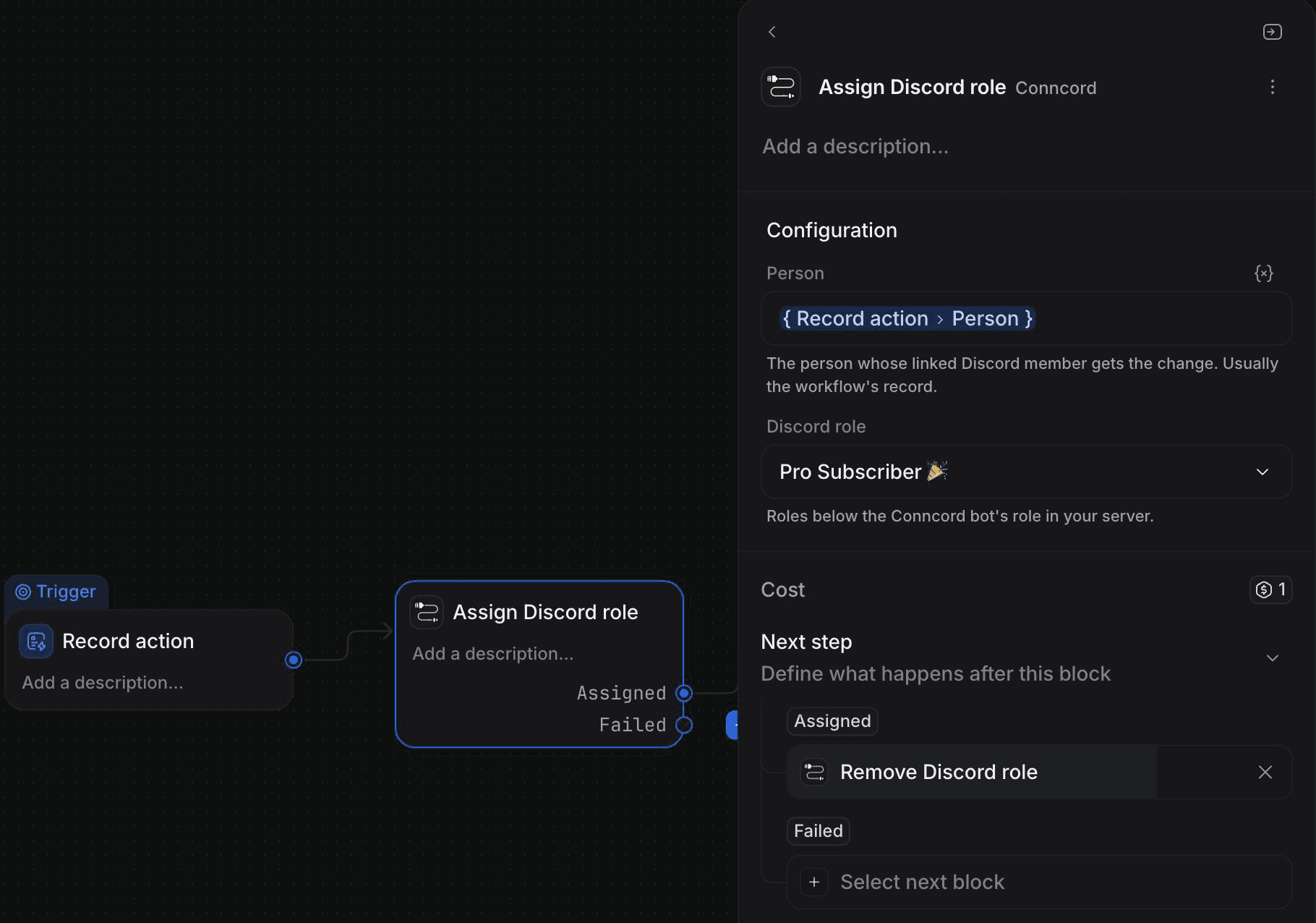
How it works
Set up in three steps
- 1
Link members to CRM records with your invite link, Layover or the welcome message.
- 2
In Discord, move the Conncord role above the roles you want it to manage.
- 3
Add the Assign or Remove Discord role step to a workflow and pick the role.
With HubSpot
- Use the Assign Discord Role and Unassign Discord Role actions in contact-based workflows.
- The action reads the contact's Conncord Discord ID property, filled in when they link.
- On failure, branch on the errorCode output.
With Attio
- Use the Assign Discord role and Remove Discord role steps.
- Set Person to the workflow's person; Conncord finds their linked Discord member.
- Outcomes are Assigned or Removed, and Failed with error_code and error_message.
The difference
Discord roles, with and without Conncord
Without Conncord
- Moderators check the CRM and hand out roles manually
- Churned customers keep access for weeks
- Nobody knows which roles are out of date
With Conncord
- Roles change the moment the CRM does
- Access is removed as reliably as it's granted
- Every change is logged in your Conncord activity
“This was amazingly simple to setup and now I have a way to know which of my customers are in Discord and control roles as well.”
FAQ
Questions, answered
Keep exploring
Works well with
Connect Discord to your CRM today
Link members, automate roles and send messages from HubSpot or Attio workflows. Live in minutes.
7-day free trial · No credit card required
5.0· 4 reviews on HubSpot