
Connect Attio to Conncord
Connect your Attio workspace to Conncord to add Discord workflow steps, see the person attributes it creates, and learn how to disconnect.
Conncord is the native Discord integration for Attio. Connecting your workspace adds three Conncord steps to Attio workflows (Send Discord message, Assign Discord role and Remove Discord role) and creates the person attributes Conncord uses to link Discord members to people.
Before you begin
You need to be an admin of your Attio workspace and to have a Conncord account. A Conncord account connects to one CRM, so if HubSpot is connected, disconnect it first.
Start from your dashboard
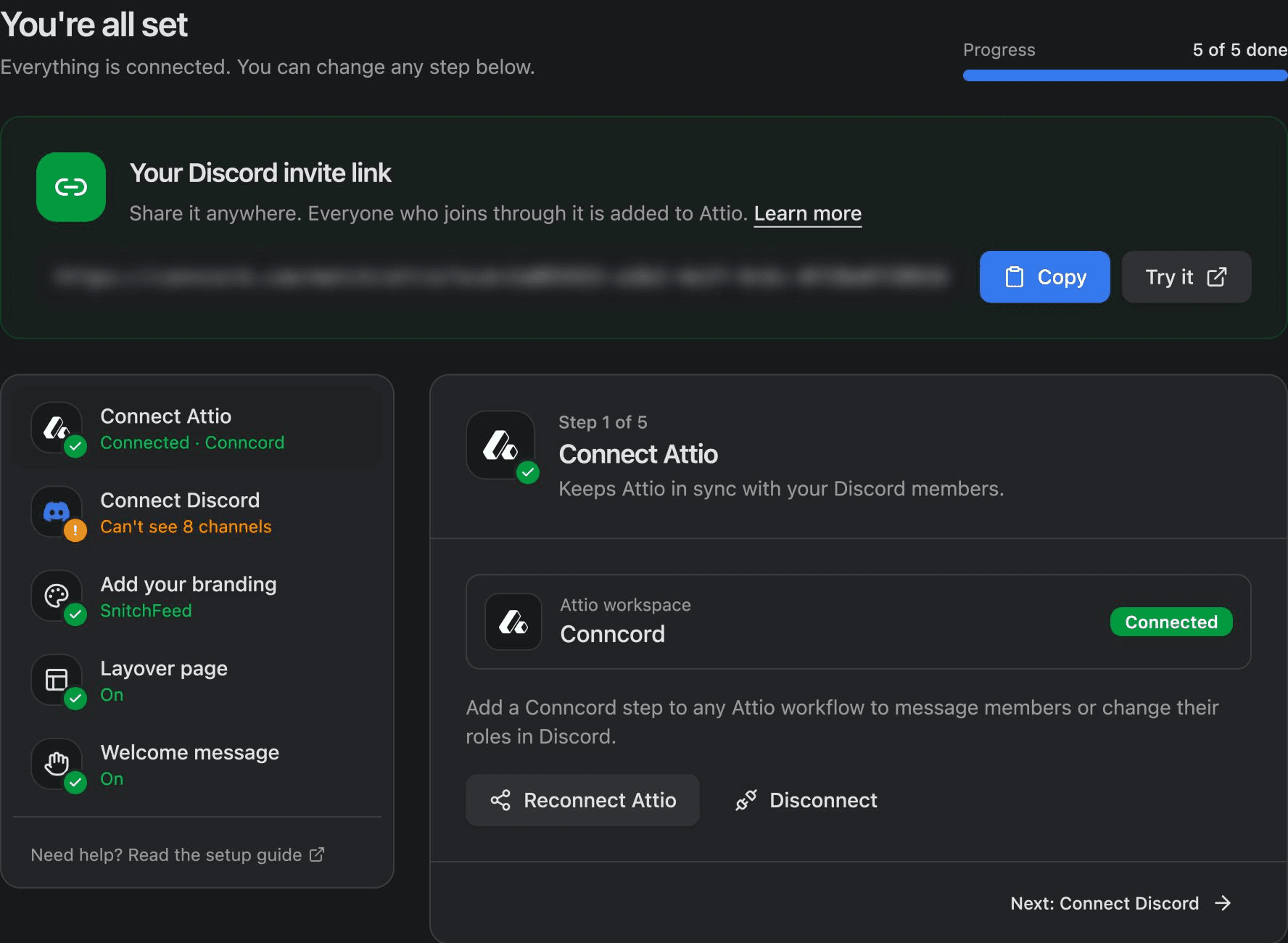
In your Conncord dashboard, open Connect your CRM and click Connect Attio.
If you came from the Attio App Store, sign in or create your account, and the dashboard shows Attio first.
Approve access in Attio
Attio asks you to pick a workspace and approve Conncord. Approve it, and Attio sends you back to your dashboard, where step 1 shows Connected with your workspace name.
Connect Discord
If you haven't yet, add the Conncord bot to your Discord server.
Person attributes Conncord creates
Conncord adds these text attributes to the People object. Use them in views, filters and workflows.
| Attribute | Slug | Value |
|---|---|---|
| Conncord Discord ID | conncord_discord_id | The member's Discord user ID |
| Conncord Discord username | conncord_discord_username | The member's Discord username |
| Conncord Discord email | conncord_discord_email | The verified email on the member's Discord account |
When it links a member, Conncord also adds their email address to the person and fills in their name if it's empty. It never removes or overwrites existing values.
If Conncord can't create the attributes, the dashboard shows "Attio connected, but setup didn't finish". Click Reconnect Attio to finish.
Disconnect Attio
In your dashboard, open Connect Attio and click Disconnect. Conncord revokes its access to your workspace. Until you connect a CRM again:
- Conncord steps in your Attio workflows fail with ATTIO_NOT_CONNECTED.
- New Discord members still join your server, and are linked to Attio people once you reconnect.
Your Discord bot and server, branding, Layover page and welcome message stay the same. To use HubSpot instead, disconnect Attio and connect HubSpot.
If the Conncord app is uninstalled from Attio, the dashboard shows "Attio access was revoked". Click Reconnect Attio.
Connection errors
| Message | What to do |
|---|---|
| Another CRM is already connected | Conncord works with one CRM at a time. Disconnect HubSpot, then connect Attio. |
| This Attio workspace is already connected | The workspace is linked to a different Conncord account. Contact support to move it. |
| Couldn't finish connecting | Try again. This also appears if you cancel in Attio. |
Next steps
Last updated on
Ticket Sync: Discord forum posts to HubSpot tickets
Turn Discord forum posts into HubSpot tickets with Conncord Ticket Sync, link posters to contacts, and keep ticket stages and forum tags in sync.
Send Discord messages from Attio workflows
Add Conncord's Send Discord message step to an Attio workflow to post to a Discord channel, with record attributes in the text.