
Plans and billing
Conncord plans and prices for HubSpot and Attio, what counts as an action, monthly limits, the 7-day free trial, and how plan changes work.
Every account starts with a 7-day free trial with every feature and 100 actions, no credit card required. Choose a plan on the billing page any time during or after the trial. Plans and prices are the same for HubSpot and Attio.
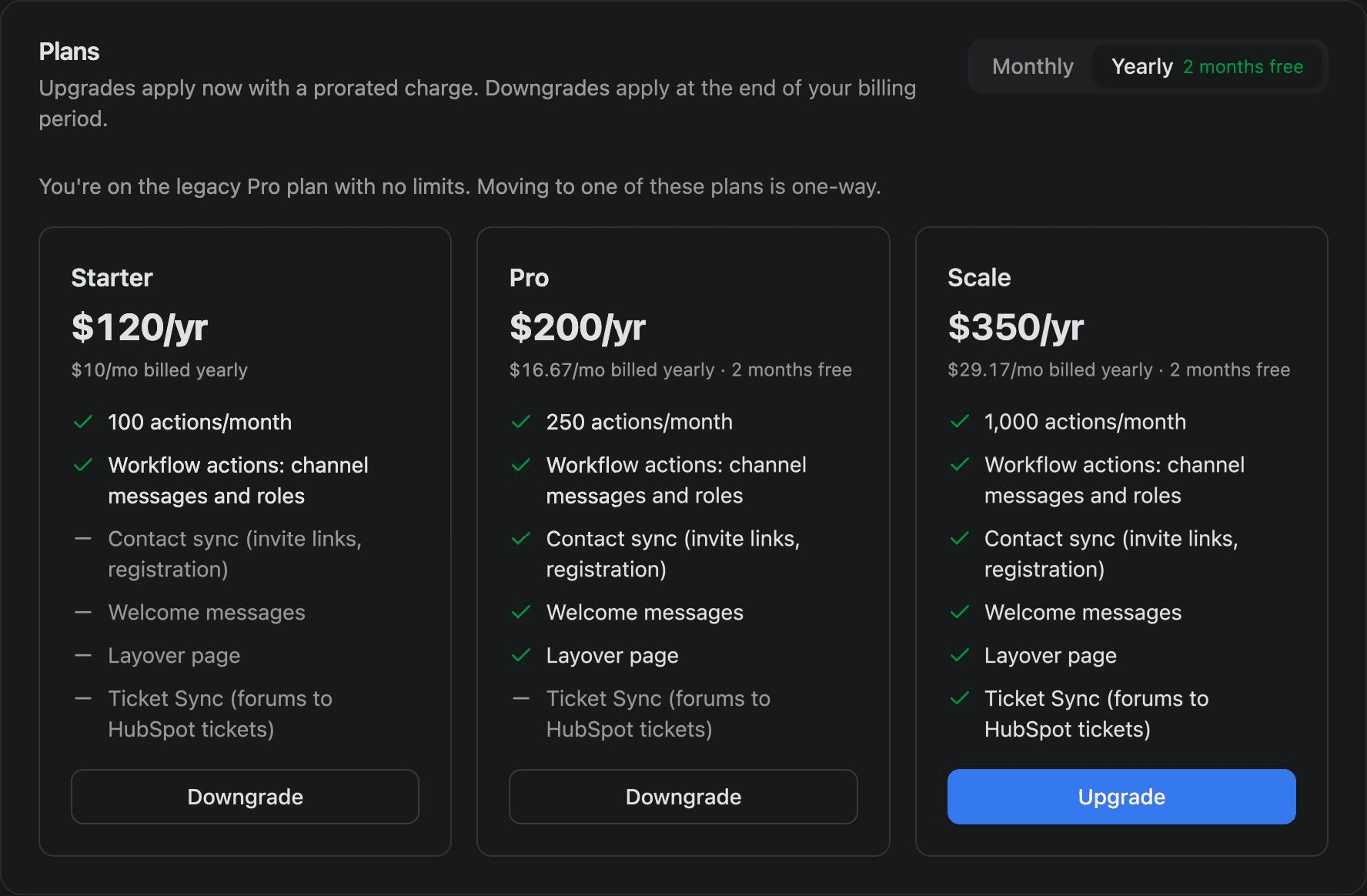
Plans
| Starter | Pro | Scale | |
|---|---|---|---|
| Monthly | $10/mo | $20/mo | $35/mo |
| Yearly | $120/yr | $200/yr | $350/yr |
| Actions per month | 100 | 250 | 1,000 |
| Workflow actions (channel messages and roles) | ✓ | ✓ | ✓ |
| Member linking (invite links, registration) | – | ✓ | ✓ |
| Welcome messages | – | ✓ | ✓ |
| Layover page | – | ✓ | ✓ |
| Ticket Sync (forums to HubSpot tickets) | – | – | ✓ |
Yearly Pro and Scale plans come with 2 months free.
What counts as an action
Each of these uses one action:
- A Conncord workflow action or workflow step that changes something in Discord: sending a channel message, assigning a role or removing a role.
- A Discord member linked to a HubSpot contact or Attio person, from an invite link, Layover, a welcome message or a ticket registration.
- A new ticket created from a Discord forum post (Ticket Sync).
These don't use actions:
- Failed workflow actions and steps.
- Role actions that change nothing, because the member already had the role (or didn't have it, for a removal).
- Welcome messages and Register prompts.
- Moving a ticket between stages.
The Activity page in your dashboard shows each event and whether it used an action.
Monthly limits
Actions reset every month on the day your plan started, on yearly plans too. On the trial, the 100 actions cover the whole trial. The billing page and the Activity page show how many you've used and when they reset.
The account owner gets an email at 80%, 90% and 95% of the limit, and when it's reached. When the actions are used up, until they reset or you upgrade:
- Workflow actions and steps fail with USAGE_LIMIT. Re-enroll the records (HubSpot) or run the workflows again (Attio) after upgrading.
- New members are still added to your server. They're linked to your CRM once actions are available again.
- New forum posts aren't turned into tickets.
- Welcome messages, Register prompts and ticket stage changes keep working.
On Starter, invite links still add members to your server. They're linked to your CRM when you move to Pro or Scale.
When your trial or plan ends
Workflow actions and steps fail with SUBSCRIPTION_EXPIRED, and new member links wait until you choose a plan. Your settings, branding and connections are kept.
Changing plans
Change your plan from the billing page. Before you confirm, Conncord shows what it will charge or when the change applies.
- Upgrades (a plan that costs more per month) apply right away. You're charged the difference for the rest of the billing period, and your new limit applies at once.
- Downgrades apply at the end of your billing period. Until then you keep your current plan, and you can cancel the change with Keep current plan.
- Monthly to yearly applies right away; yearly to monthly at the end of the year.
Invoices, payment methods and cancellation are under Manage billing.
Legacy plans
If you subscribed before the current plans, you keep your plan, its price and its discount, with no action limits. You can move to a plan that costs more per month at any time; that removes your legacy discount, and you can't move back. To move to a cheaper plan, contact support.
Last updated on
HubSpot vs. Attio: what Conncord supports
Compare Conncord's Discord features for HubSpot and Attio: workflow messages, roles, member linking, Layover and Ticket Sync, and how they differ.
Workflow errors
What each Conncord error code means in HubSpot workflow actions and Attio workflow steps, and how to fix it.